HelpGuides
Review a traveler’s application
Read the answers, choose the next step, and review what the traveler will receive.
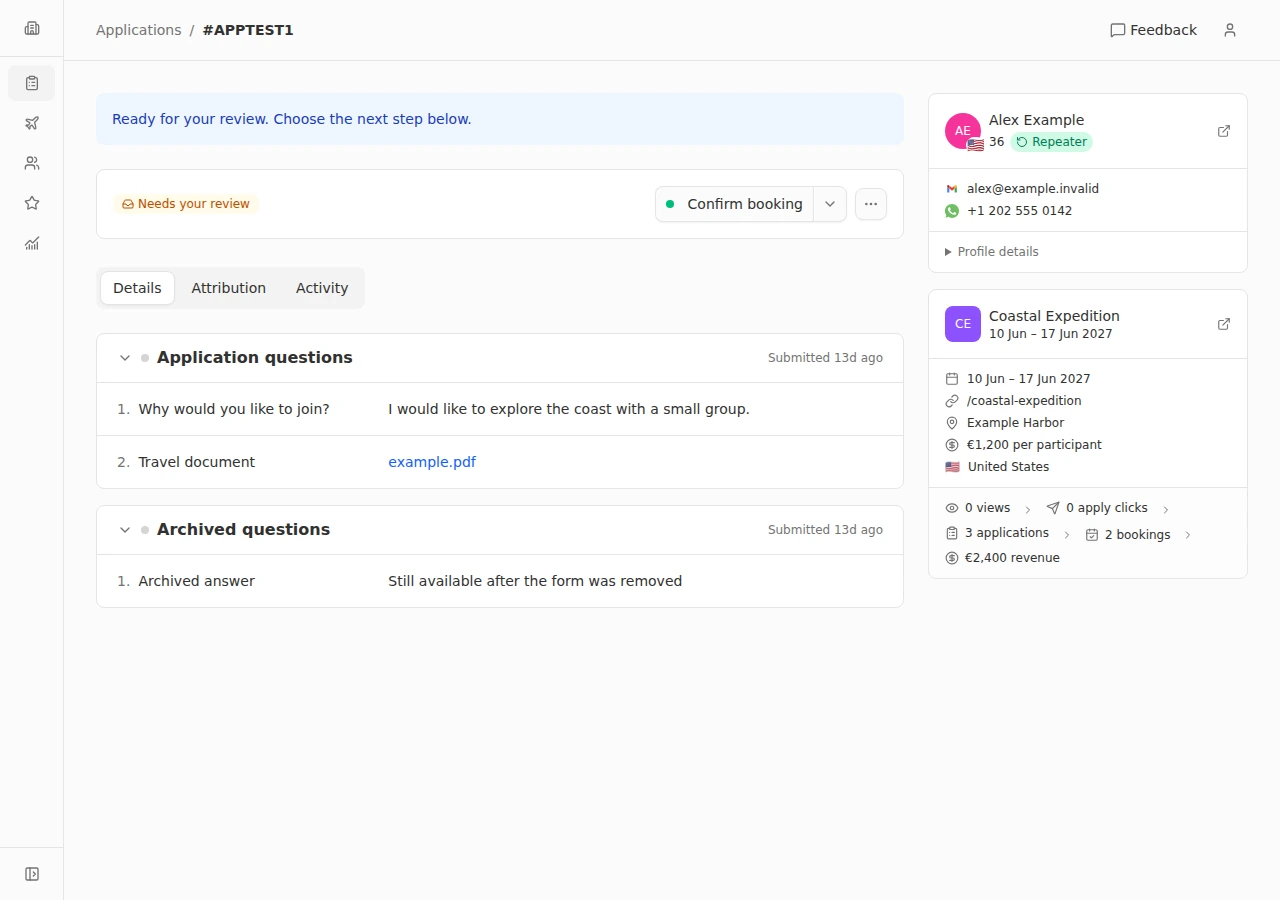
- 1
Find the application
Open Applications. Use search and the available filters to find the traveler, then open their application. Check the trip and the application’s current status before making changes.
- 2
Read the details
In Details, read the answers grouped by phase and open any relevant uploaded files. Attribution shows the acquisition information available for the application. Activity shows its timeline.
- 3
Choose the next step
Use Next phase when more information is needed, or Ready to book when the traveler can use the trip’s checkout link. The available actions depend on the current stage. Confirm booking marks the traveler as a participant and paid; verify payment separately before choosing it. The action menu also offers Not selected when applicable.
- 4
Review and confirm
Read the confirmation and choose the notification options. Preview the email when available, then confirm. Check the updated status afterward. If the traveler submits another phase’s answers, review the application again before moving it forward.
Every departure full and paid before you leave