HelpGuides
Publish your first trip
Prepare your departure, check its public page, and start accepting applications.
- 1
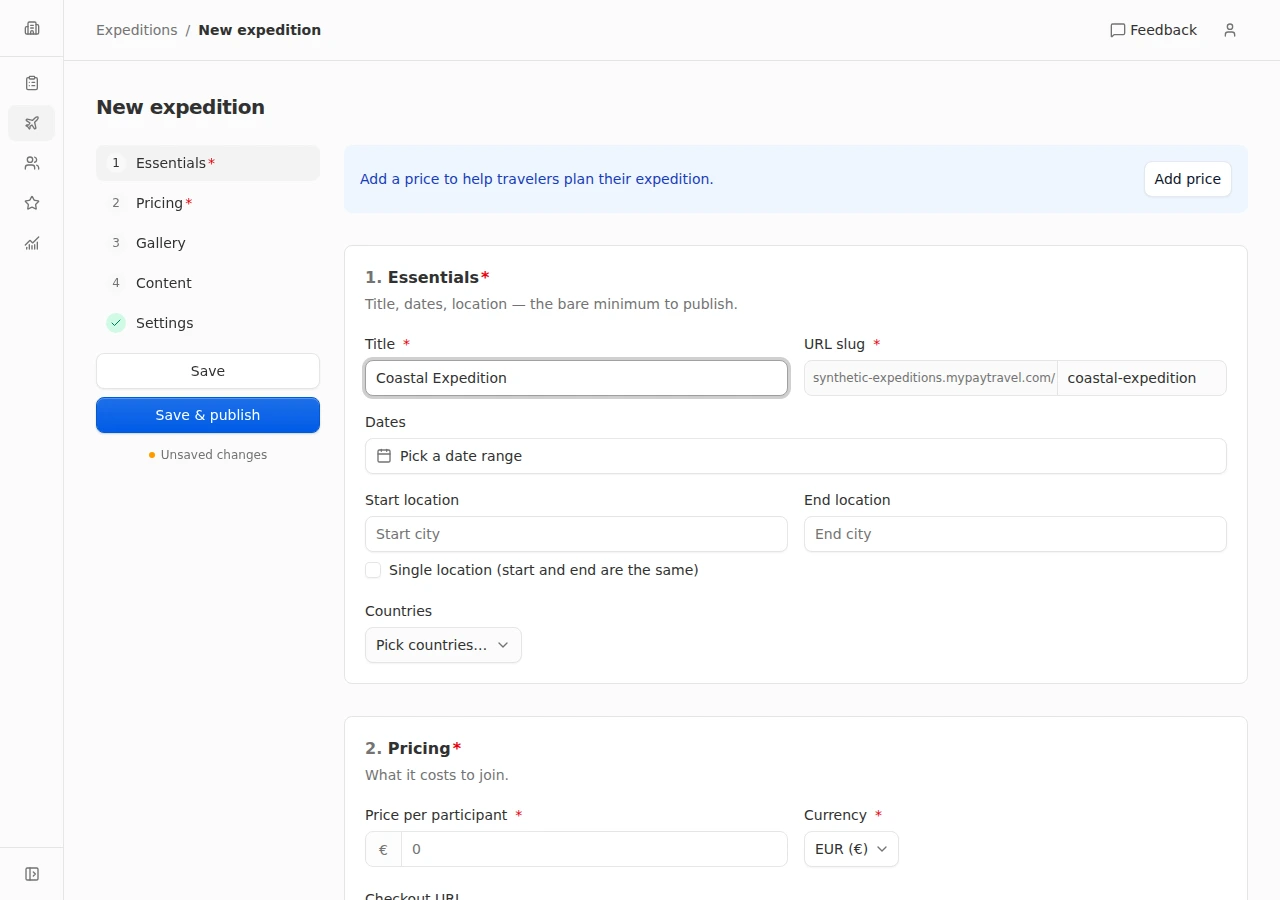
Set the essentials
Open Trips and create a trip. In Essentials, enter its title, URL slug, start and end dates, locations, and countries. The slug uses lowercase letters, numbers, and hyphens.
- 2
Add pricing and photos
In Pricing, set a positive Price per participant and select a Currency. Add the Checkout URL if you use one. In Gallery, add at least one image; the first image is your cover.
- 3
Explain the trip
In Content, add your description, itinerary, what is included, what is not included, and FAQs. In Settings, turn on Open for applications when you are ready to receive travelers’ applications.
- 4
Publish and review
Choose Save & publish. Resolve any highlighted fields, then use Preview public page from the trip details to check the result. Use Copy public link to share the departure. If you need more time, Save lets you keep a new trip hidden.
Every departure full and paid before you leave